IMPORTANT NOTICE
FOTEMP-Assistant 2 is provided free (no license required) for use with all FOTEMP signal conditioners.
IMPORTANT NOTICE
If PC does not recognize the connected FOTEMP unit, then install the FTDI VCP (Virtual Comm Port) drivers from Downloads list. The software is contained on the USB Support stick supplied with the FOTEMP system.
FOTEMP-ASSISTANT
Multichannel Data Logging and Configuration Software For Use With Single or Multiple FOTEMP Signal Conditioners connected to a Windows PC
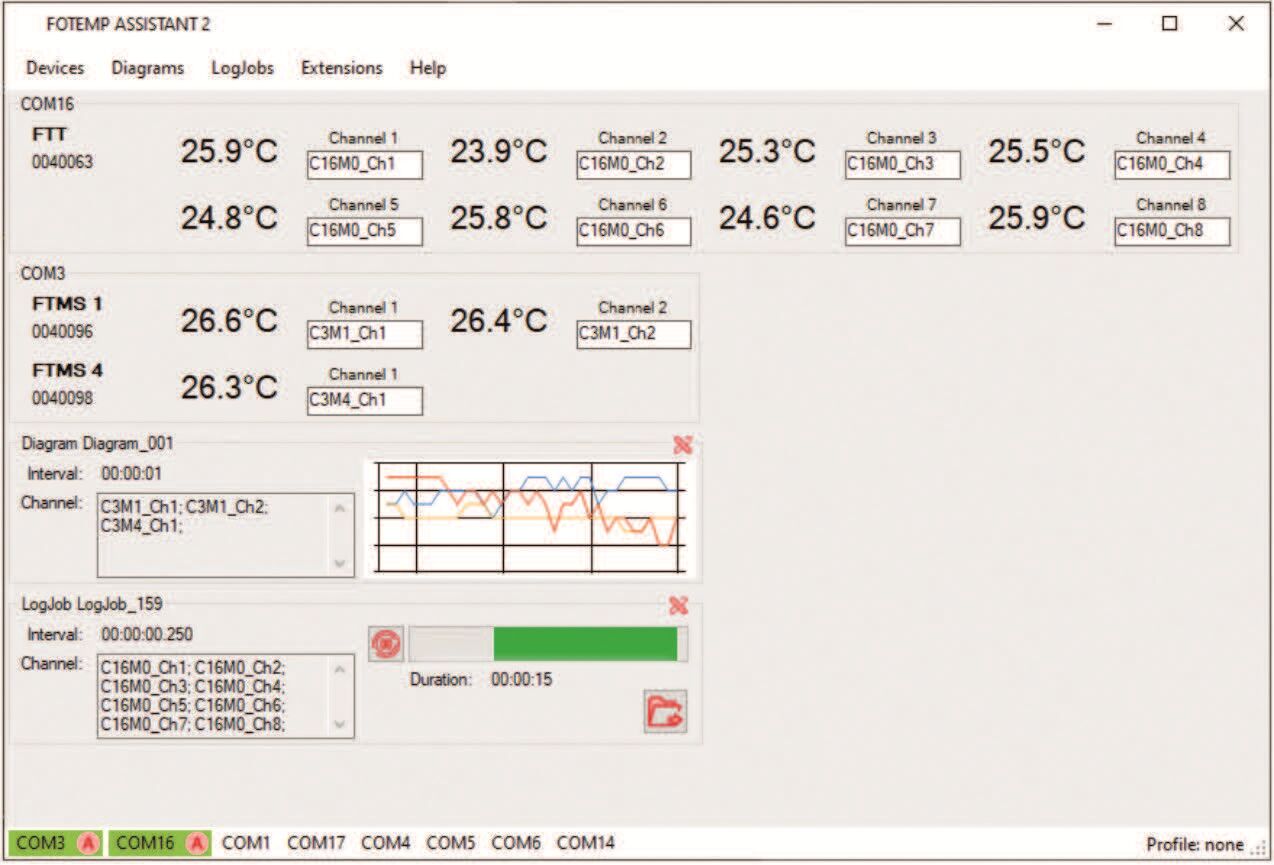
FOTEMP-ASSISTANT-2 (FTA2) software allows display, data logging and configuration of connected single and multiple FOTEMP signal conditioners. This software is provided FREE with every FOTEMP system.
The software requires one of the following connections to a PC:
- For One FOTEMP unit, direct connection from FOTEMP USB port to PC USB port. Protocol used is ASCII.
- For Multiple FOTEMP units, direct USB connections from FOTEMP units to PC via USB Hub or PC’s built-in USB ports. Protocol used is ASCII.
- For FOTEMP models with RS485/ModbusRTU interfaces (FOTEMP-T20 or FOTEMP T30 series), connect all Tx, Rx and GND together and use an RS485-to-USB dongle/converter for connection to PC. Protocol used is ModbusRTU.
- IMPORTANT NOTICE: If the PC does not recognize the FOTEMP device, then you need to install the latest FTDI VCP (Virtual Com Port) driver software (see Downloads below or USB stick supplied with FOTEMP system).
About Current FOTEMP-Assistant 2 (FTA2) Version:
- Version 2.4.114.0 released February 2026
- Compatible with most early FOTEMP units with Firmware 3.2XX or earlier
- Required for all newer FOTEMP units with Firmware Version 3.300 and higher
- Requires Windows 7/8/10 and .NET Framework 4.8.
- Calibration and Spectrum Add-ins are built-in
- Calibration Extension only used to enter new 16-point calibration array. If not calibrating, do not tamper with these values as you could corrupt internal calibrations.
- Spectrum Extension allows viewing of the optical return signal per device and channel. Used to troubleshoot problems including signal power.
About Changes in ASCII Command Set:
- There are two versions of the ASCII Command Set
- The older version applies to FOTEMP units with Firmware Version 3.2XX and earlier
- The new version applies to FOTEMP units with FIrmware Version 3.300 or higher.
- Calibration and Spectrum Add-ins are built-in
- Calibration Extension only used to enter new 16-point calibration array. If not calibrating, do not tamper with these values as you could corrupt internal calibrations.
- Spectrum Extension allows viewing of the optical return signal per device and channel. Used to troubleshoot problems including signal power.
Features
- Microsoft Windows-compatible
- User-friendly graphical interface
- Compatible with FOTEMP models with USB or RS232 or RS485 serial interfaces
- Supports ASCII (USB or RS232) or ModbusRTU protocols depending on FOTEMP model used
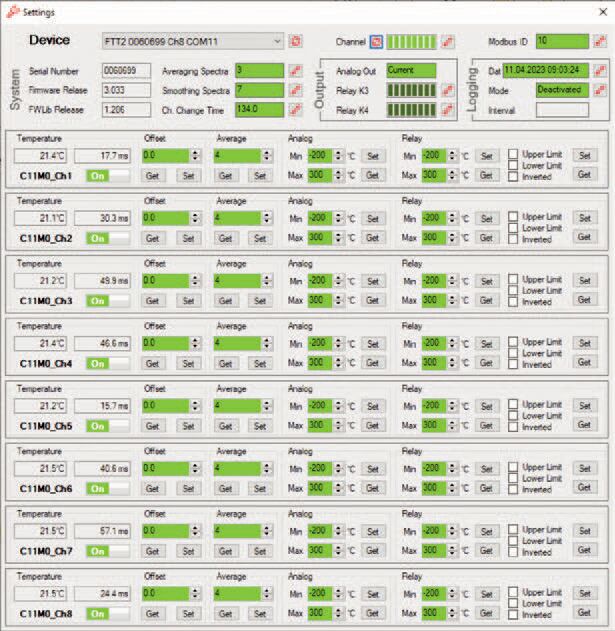
- Supports One-Point Calibration (Offset parameter setting) via Settings mode
- Min and Max temperature limits for Control Relays can be set per channel (depends on FOTEMP model used)
- Min and Max scaling for Analog Outputs can be set per channel (depends on FOTEMP model used)
- Automatic storage of data (data logging)
- Data can be exported to a Microsoft Excel file
- LabView® and Python support available
TO ORDER
Call +1-805-389-6600 or email sales@micronor.com